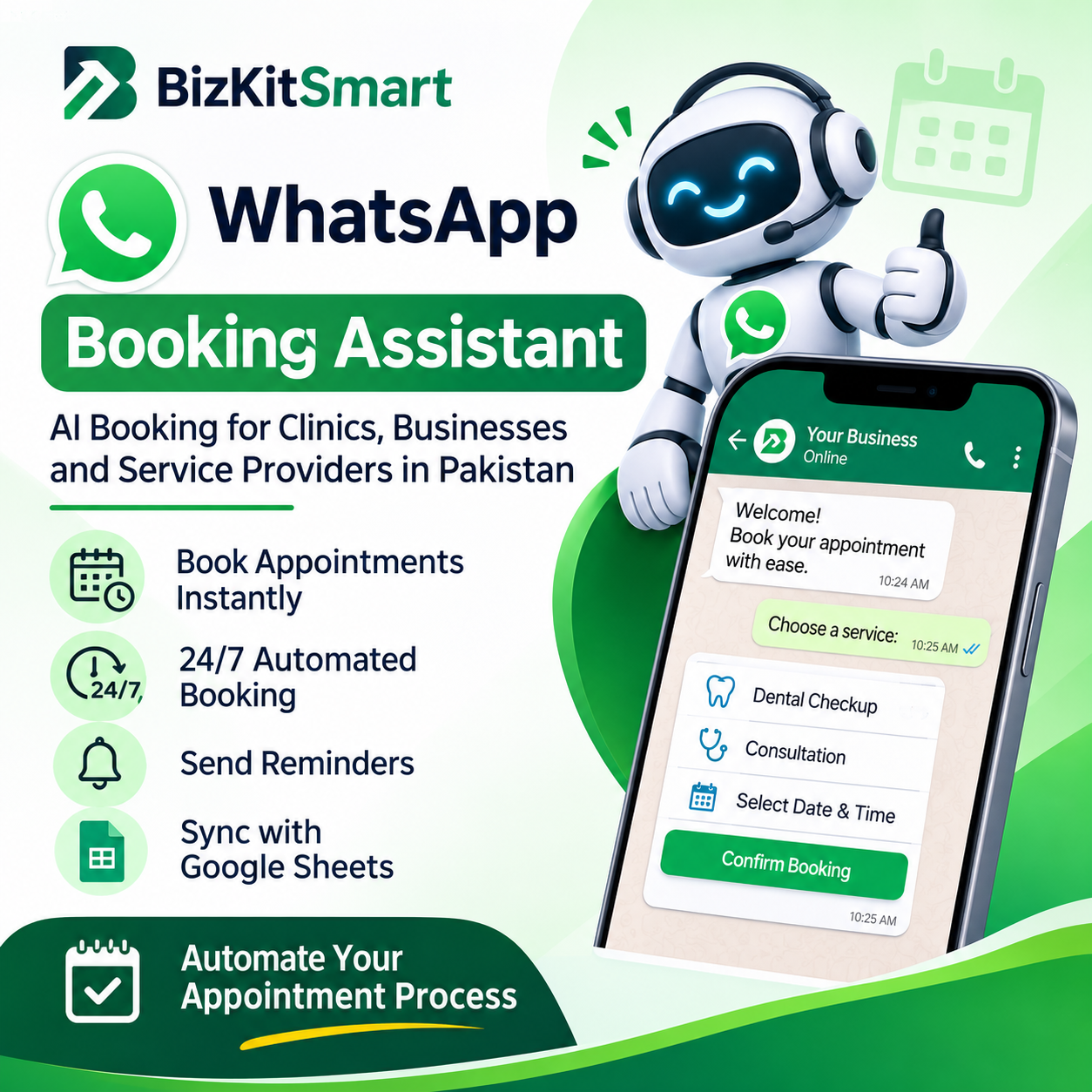
WhatsApp Appointment Booking Bot Pakistan – Automate Your Business Bookings
Automate Appointments. Save Time. Serve Customers 24/7.
Are you spending too much time answering WhatsApp messages, managing appointment requests and confirming bookings manually?
Missed messages, delayed responses and scheduling problems can cost your business valuable customers.
The WhatsApp Appointment Booking Bot from BizKitSmart helps automate your appointment management through WhatsApp. Customers can explore your services, select available appointment times, confirm bookings and receive reminders without waiting for your receptionist to respond to every routine request.
Whether you operate a dental clinic, skin clinic, salon, consultancy or another appointment-based business, this managed automation solution can simplify your daily booking operations.
Get a customized WhatsApp booking assistant configured around your business services, working hours and scheduling requirements.
Why Your Business Needs a WhatsApp Booking Assistant
Customers increasingly prefer messaging businesses instead of making phone calls or filling out complicated forms.
However, managing every appointment manually takes time and creates unnecessary administrative work.
With WhatsApp appointment automation, your business can:
- Accept appointment requests around the clock.
- Reduce repetitive WhatsApp conversations.
- Allow customers to select services and available timings.
- Automatically confirm appointments.
- Send scheduled appointment reminders.
- Handle supported cancellations and rescheduling.
- Keep appointment records organized through Google Sheets.
- Provide access to human assistance when needed.
Instead of spending hours coordinating bookings, your team can focus on customers and daily business operations.
Key Features of the WhatsApp Appointment Booking Bot
1. 24/7 Automated Appointment Booking
Customers can start the booking process whenever they message your business on WhatsApp.
The assistant guides them through the configured booking journey, allowing them to explore services, select appointment dates and choose available times.
You no longer need to manually respond to every routine booking request.
2. AI-Powered WhatsApp Booking Assistant
Give your customers a convenient conversational booking experience.
The assistant responds to configured customer questions and guides them through the appointment process.
It can provide information about your services, business timings, booking policies and other frequently asked questions based on the information you provide during setup.
3. Customized Services and Availability
Your booking assistant is configured according to your actual business requirements.
You can provide:
- Business name and location.
- Available services.
- Service duration and pricing.
- Working days and business hours.
- Lunch breaks and unavailable hours.
- Appointment slot requirements.
- Advance booking limits.
- Same-day booking restrictions.
Customers can select from the configured services and available appointment slots.
4. Automatic Booking Confirmations
Once customers complete the booking process, the system confirms their appointment and provides a booking reference.
This helps customers keep track of their reservations and reduces the need for manual confirmation messages.
5. Automatic Appointment Reminders
Help customers remember their scheduled appointments.
The system supports scheduled reminders, including a standard 24-hour-before-appointment reminder.
Configured reminder messages can also provide supported options for cancellation or rescheduling.
Message delivery depends on the final WhatsApp configuration, applicable messaging policies and any required template approvals.
6. Appointment Cancellation and Rescheduling
Customers can manage supported appointment changes directly through WhatsApp.
The booking assistant can guide them through cancellation and rescheduling options according to your configured booking rules and available appointment times.
This reduces unnecessary back-and-forth communication with your staff.
7. Google Sheets Booking Management
Keep appointment information organized through Google Sheets integration.
Booking records can be maintained in a structured format, making it easier for your business to review appointment information and manage daily scheduling activities.
8. Human Support When Needed
Automation should not eliminate personal assistance.
If a customer needs help beyond the configured booking process, they can type “human” to request assistance from your team.
Your receptionist or designated staff member can take over the conversation when necessary.
9. Frequently Asked Questions Automation
Customers often ask similar questions before making an appointment.
During setup, you can provide common questions and their answers so the assistant can respond using your business information.
Examples include:
- What services do you offer?
- What are your working hours?
- Where is your clinic located?
- How much does a consultation cost?
- Do I need an advance payment?
- What is your cancellation policy?
This helps customers get relevant information without waiting for manual replies.
What Information Does the Booking System Collect?
The appointment workflow is designed to collect the essential information required for scheduling.
Typically, this includes:
- Customer or patient name.
- Phone number.
- Requested service.
- Appointment date and time.
Detailed medical histories, diagnoses and symptom descriptions are not required for routine appointment scheduling.
Your business remains responsible for appropriate data access, storage, retention and privacy arrangements.
Who Can Use This WhatsApp Appointment Booking Bot?
This solution is suitable for businesses that regularly receive appointment requests through WhatsApp.
Dental Clinics
Automate routine appointment requests for dental checkups, consultations, cleaning and follow-up visits.
Skin and Aesthetic Clinics
Allow customers to explore configured services and request available consultation or treatment appointments.
Physiotherapy Clinics
Simplify appointment scheduling and reduce repetitive communication with patients.
Beauty Salons and Spas
Let customers select services and available appointment times through WhatsApp.
Consultants and Professionals
Manage consultation requests, meeting appointments and customer inquiries.
Lawyers and Legal Consultants
Organize client consultation requests and appointment scheduling.
Tuition Centres and Educational Businesses
Manage introductory sessions, consultations and other scheduled appointments.
Other Appointment-Based Businesses
Any service business with defined working hours, services and appointment slots can explore this solution.
How the WhatsApp Booking Assistant Works
The customer experience is designed to be straightforward.
Step 1: Customer Sends a WhatsApp Message
A customer messages your business number to request an appointment.
Step 2: Assistant Guides the Customer
The assistant presents your configured services and available booking options.
Step 3: Customer Selects an Appointment
The customer provides the required details and selects a suitable date and time.
Step 4: Booking Confirmation
The system confirms the appointment and provides a booking reference.
Step 5: Automatic Reminder
The customer receives a scheduled reminder according to your configured reminder settings.
Step 6: Manage Appointment Changes
Customers can use supported WhatsApp options to cancel or reschedule their appointments.
What You Get With BizKitSmart
This is a managed automation service, not a generic chatbot download.
Your service includes:
- Customized WhatsApp booking assistant setup.
- Business-specific booking conversation.
- WhatsApp connection configuration.
- Services and pricing configuration.
- Business working hours and availability setup.
- Appointment scheduling rules.
- Booking confirmation workflow.
- Automatic reminder configuration.
- Cancellation and rescheduling workflow.
- Google Sheets booking management integration.
- Frequently asked questions configuration.
- Booking workflow testing.
- Implementation assistance.
The final scope and ongoing support arrangements are confirmed before implementation.
Setup Time and Implementation
Your WhatsApp booking assistant is configured specifically for your business.
Typical implementation time: Approximately 7 days after requirements are agreed.
The implementation process includes:
- Understanding your business requirements.
- Collecting your services, prices and operating hours.
- Defining appointment scheduling rules.
- Configuring the WhatsApp booking assistant.
- Setting up the booking management workflow.
- Testing the appointment booking process.
- Preparing the system for use.
The actual timeline may depend on the completeness of your information, agreed requirements and any necessary third-party approvals.
Pricing – WhatsApp Appointment Booking Bot Pakistan
Indicative Setup Fee: Rs. 15,000
Monthly Service Fee: Rs. 10,000
The setup fee covers initial implementation and configuration. The monthly fee covers the agreed ongoing service.
Your final quotation, included features, support arrangements and any additional third-party messaging charges should be confirmed before proceeding.
This is a managed service. You do not need to build the booking automation yourself.
Important Information Before Purchasing
Please review the following requirements and limitations:
- The current configuration supports one doctor or one business owner per business.
- Multiple doctors, branches and separate staff calendars require prior discussion.
- The booking assistant handles scheduling, not medical, legal or financial advice.
- Online payment processing is not currently included.
- Deposit instructions and payment requirements can be configured as part of the booking information, but payments are not collected or processed by the bot.
- Human assistance remains available for situations requiring personal attention.
- WhatsApp messaging charges, platform requirements and third-party fees should be confirmed before implementation.
- Additional integrations or advanced customization may require a separate quotation.
Try the Free 1-Day WhatsApp Demo
Not sure whether this appointment booking automation is right for your business?
Try the Free 1-Day Demo before purchasing.
Explore how customers interact with the WhatsApp assistant and experience the appointment booking journey.
During your demo, you can evaluate:
- Customer booking conversations.
- Service selection.
- Appointment scheduling.
- Booking confirmations.
- Reminder experience.
- Cancellation and rescheduling options.
- Common question responses.
You can also discuss your business requirements, pricing, implementation and available features before making a decision.
How to Buy WhatsApp Appointment Booking Bot in Pakistan
Getting started with BizKitSmart is simple.
Step 1: Visit the product page and add the product to your cart.
Step 2: Proceed to checkout and select Bank Transfer.
Step 3: Follow the payment instructions displayed during checkout.
Step 4: After completing your payment, send your payment screenshot to info@bizkitsmart.com.
Step 5: Our team verifies your payment and updates your order status to Completed.
Step 6: Complete the business setup requirements and coordinate your implementation with our team.
Payment verification is handled manually. Once verified, your order is marked Completed and the setup process can proceed according to the agreed requirements.
Frequently Asked Questions – WhatsApp Appointment Booking Bot
1. What is a WhatsApp Appointment Booking Bot?
It is an automated WhatsApp booking assistant that helps customers request appointments, select services, choose available timings, receive confirmations and get appointment reminders without requiring manual responses to every routine message.
2. How much does the WhatsApp Booking Bot cost in Pakistan?
The indicative pricing is Rs. 15,000 for initial setup and Rs. 10,000 per month for the ongoing service. Final pricing depends on your agreed requirements and configuration.
3. Can I try the WhatsApp Appointment Booking Bot before purchasing?
Yes. BizKitSmart offers a free 1-day demo so you can experience the booking process and explore the available features before purchasing.
4. Does the bot work 24/7?
Customers can initiate the configured automated booking process at any time. However, this does not mean your business provides professional consultations or human support around the clock.
5. Can customers cancel or reschedule appointments through WhatsApp?
Yes. The configured booking workflow supports appointment cancellation and rescheduling through available WhatsApp options, subject to your scheduling rules.
6. Can I use this booking assistant for my dental clinic, salon or consultancy?
Yes. It is designed for appointment-based businesses, including dental clinics, skin clinics, physiotherapy centres, salons, consultants, lawyers and tuition centres.
7. Does the WhatsApp Booking Bot support multiple doctors or online payments?
The current configuration supports one doctor or one business owner per business. Multiple doctors and separate schedules require prior discussion. Online payment processing is not currently included.
8. How long does it take to set up the WhatsApp Appointment Booking Bot?
Implementation typically takes around 7 days after your business requirements are agreed. The timeline may vary depending on configuration requirements and necessary third-party approvals.
Make Appointment Management Easier With BizKitSmart
Stop spending unnecessary time answering repetitive booking messages and coordinating every appointment manually.
Give your customers a convenient way to request appointments through WhatsApp while keeping your business scheduling organized.
Start with the Free 1-Day Demo. Experience the booking assistant before investing in your business automation.
Contact BizKitSmart to discuss your requirements and get your customized WhatsApp Appointment Booking Bot.
Email: info@bizkitsmart.com
BizKitSmart – Business Automation. Digital Tools. Practical Solutions for Pakistan.


Reviews
There are no reviews yet.